UXology

For WakeCap designers and product managers

Design screens the way great apps already do.

Describe the screen you need. UXology finds how real apps on Mobbin solve the same problem, then Claude builds it from Wakecore components, ready to change, share or hand to a developer.

  • A first screen in a few minutes
  • Built only from real Wakecore components
  • Every design saved, and easy to share

A live screen, not a mock-up

Claude studies real apps that do the same job, reads the Wakecore docs, and builds a working screen. It explains each choice beside it.
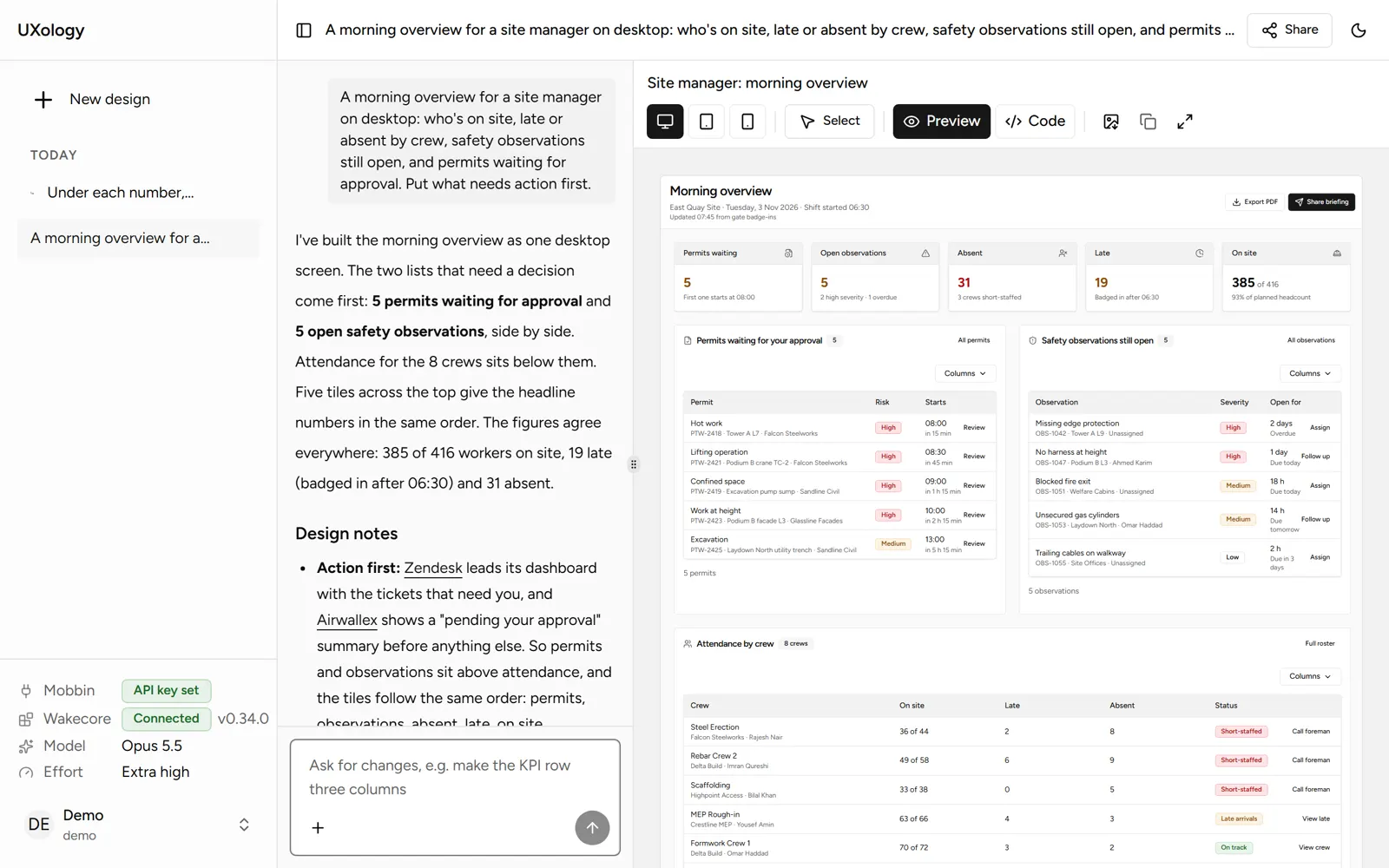
The studio with a finished design: the request and Claude's notes on the left, a live site manager overview on the right.

How it works

  1. 1

    Describe it

    Say who the screen is for and what they need. Add requirements or a screenshot if you have them.

  2. 2

    Claude does the research

    It searches Mobbin for real apps that solve the same problem, and checks Wakecore for the right components.

  3. 3

    Refine and share

    Change any part, check it on a phone, plan the Mixpanel events, then share a link or copy the code.